Gameplay-Driven Diegetic Spine UI System
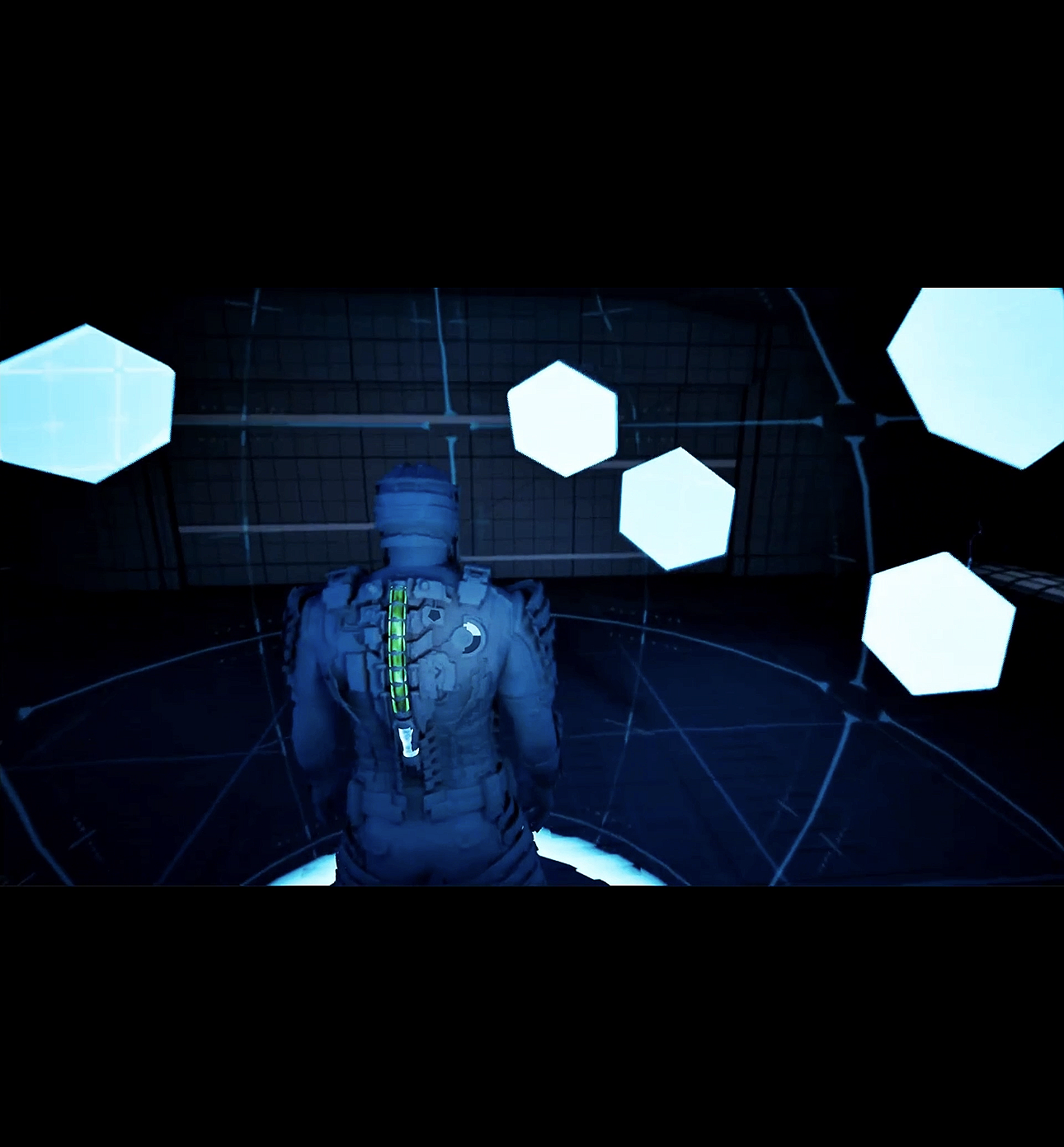
I started this project because I wanted to make something that combined a few of the areas I’ve been trying to improve in: technical art, VFX, UI, materials, Blueprint logic, and gameplay feedback. The main inspiration was the way games like DeadSpace integrate important information directly into the character instead of relying entirely on traditional HUD elements.
My goal was to create my own version of that idea while also building enough gameplay around it to show that the effects were actually responding to systems rather than just being visual demos.
Animation
The first step was getting the character into Unreal and making sure I had a usable foundation.
I imported a sci-fi character, got the mesh set up, and then started working through the animation pipeline. This ended up being more involved than I expected because I had to learn more about IK Rigs, IK Retargeters, Blend Spaces, and how root translation affects retargeted animations.
At one point my run animation was physically pushing the mesh forward before snapping it back to the capsule. I eventually traced that to the retargeting setup and fixed it by adjusting the root translation settings so the animation stayed in place while Character Movement handled the actual movement.
I also had to fix looping both on the animation itself and inside the Blend Space player after discovering the character would freeze mid-run while continuing to move.
UI/ gameplay systems
Once locomotion was stable, I moved on to the main feature: the diegetic spine UI.
I built two vertical meters onto the back of the character:
Health
Hex Shield
The health bar changes color depending on the player’s current health, while the shield meter fills and drains based on gameplay.
I used dynamic material instances so I could update the meters directly through Blueprint instead of treating them like static meshes.
From there, I built actual gameplay around the UI. Damage and healing interactions update the health meter in real time, and the Rage system controls a full-body shield that activates, drains, and shuts down based on the player’s current Rage value.
Blueprints/technical art
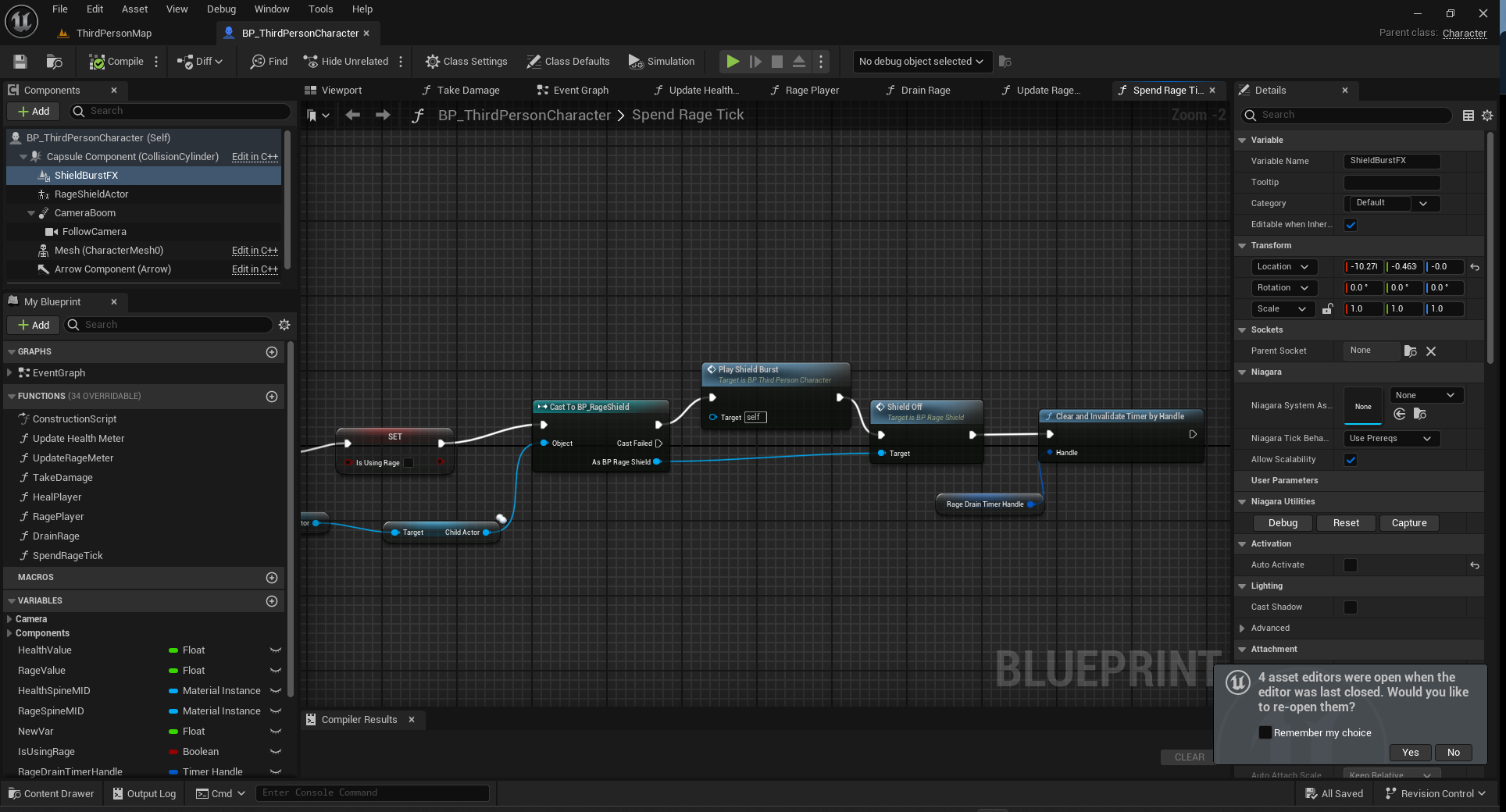
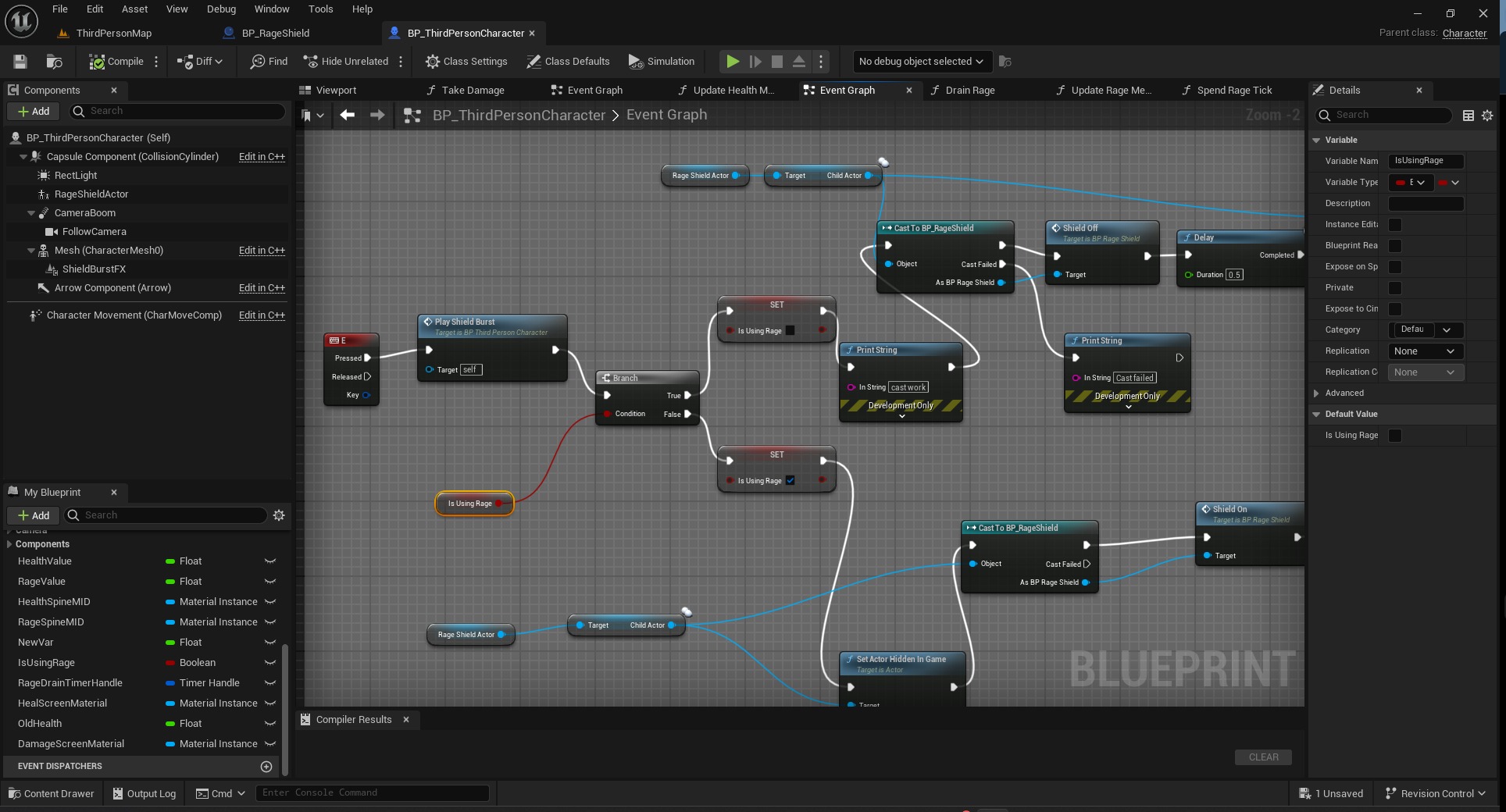
A lot of the project ended up being about connecting visual systems to gameplay logic.
I built Blueprint logic for:
damage
healing
Rage gain and drain
shield activation and shutdown
reduced damage while the shield is active
fullscreen feedback
Niagara activation/deactivation
dynamic material updates
One of the biggest goals was making sure every visual effect had a gameplay reason to exist.
For example, when Rage reaches zero, the shield automatically fades out, the hex plates disappear, the electricity shuts down, and the Rage meter finishes draining.
That connection between visuals and gameplay was one of the most important parts of the project for me.
material/shader
A large part of the final look came from material work.
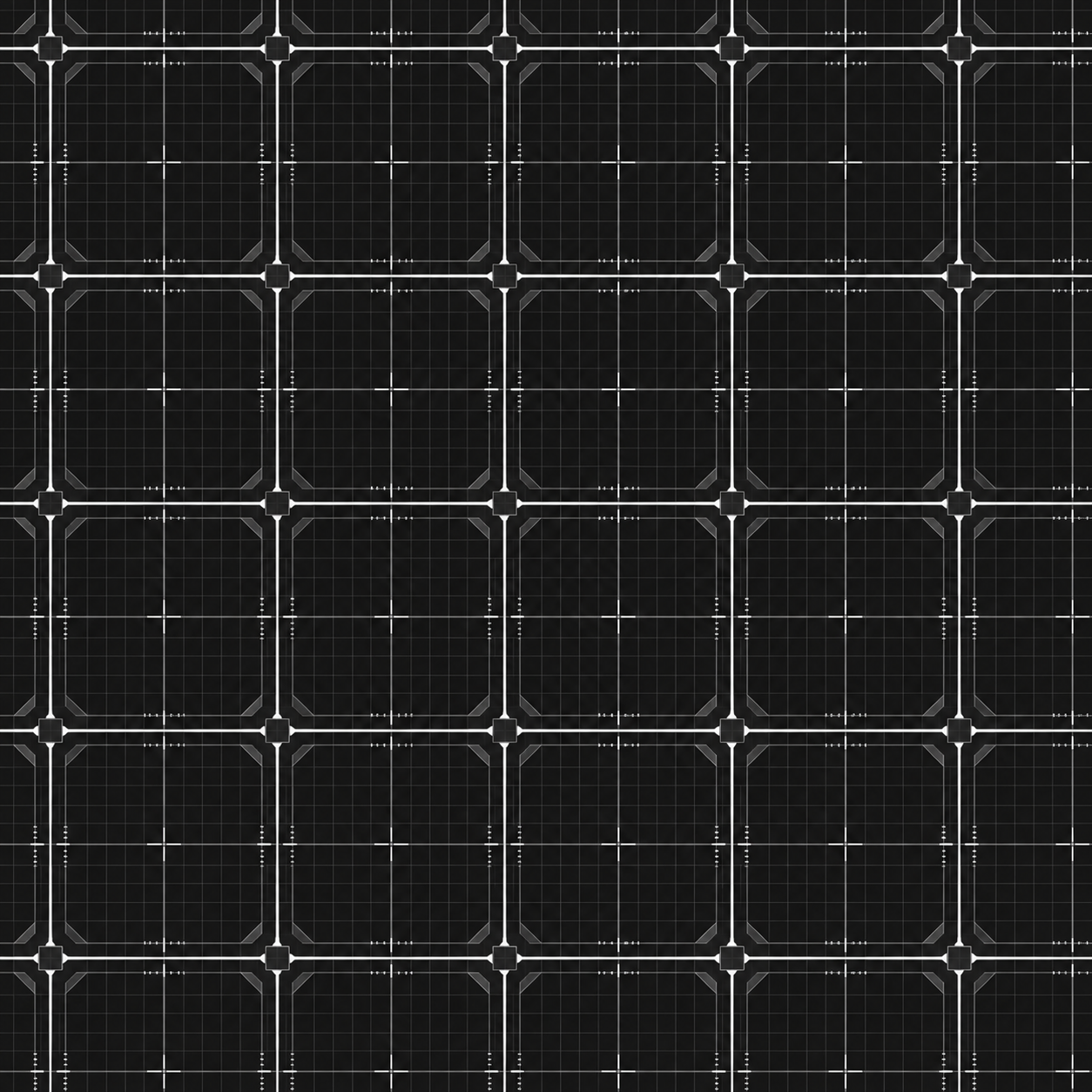
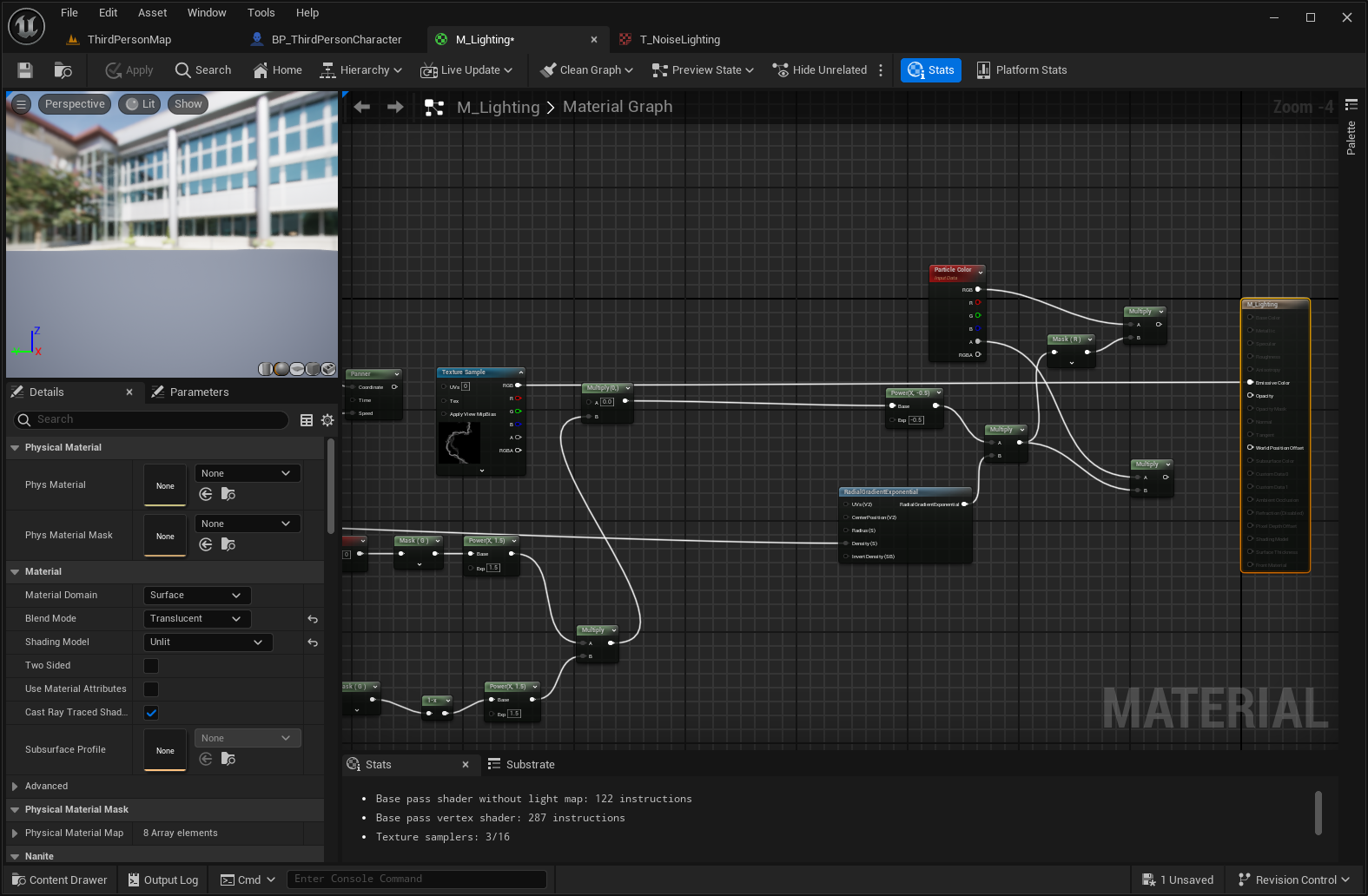
For the shield sphere, I built a custom material using:
Fresnel edge lighting
animated opacity
scrolling textures
grid patterns
contact glow
dynamic color and intensity controls
I also created grayscale textures so I could tint and control the effects directly inside Unreal instead of baking color into the images.
The hex plates went through several iterations as well, including opacity tests, visibility changes, positioning adjustments, and eventually their own scrolling material treatment.
Using dynamic material instances let me control values like opacity, fill amount, glow strength, and color directly from Blueprint.
VFX
The project also includes multiple gameplay-driven effects.
I created fullscreen post-process feedback for both damage and healing. The damage effect uses animated edge noise with a red treatment, while the healing effect has its own green visual response.
One issue I ran into was that the fullscreen effect would restart every time health changed, which caused it to blink repeatedly while the player stayed inside a damage or healing area. I reworked the logic so the effect stays active for the duration of the interaction instead of constantly restarting.
I also created activation feedback for the Hex Shield so the effect feels more responsive when it turns on and off.
Niagara was probably the area where I learned the most during this project.
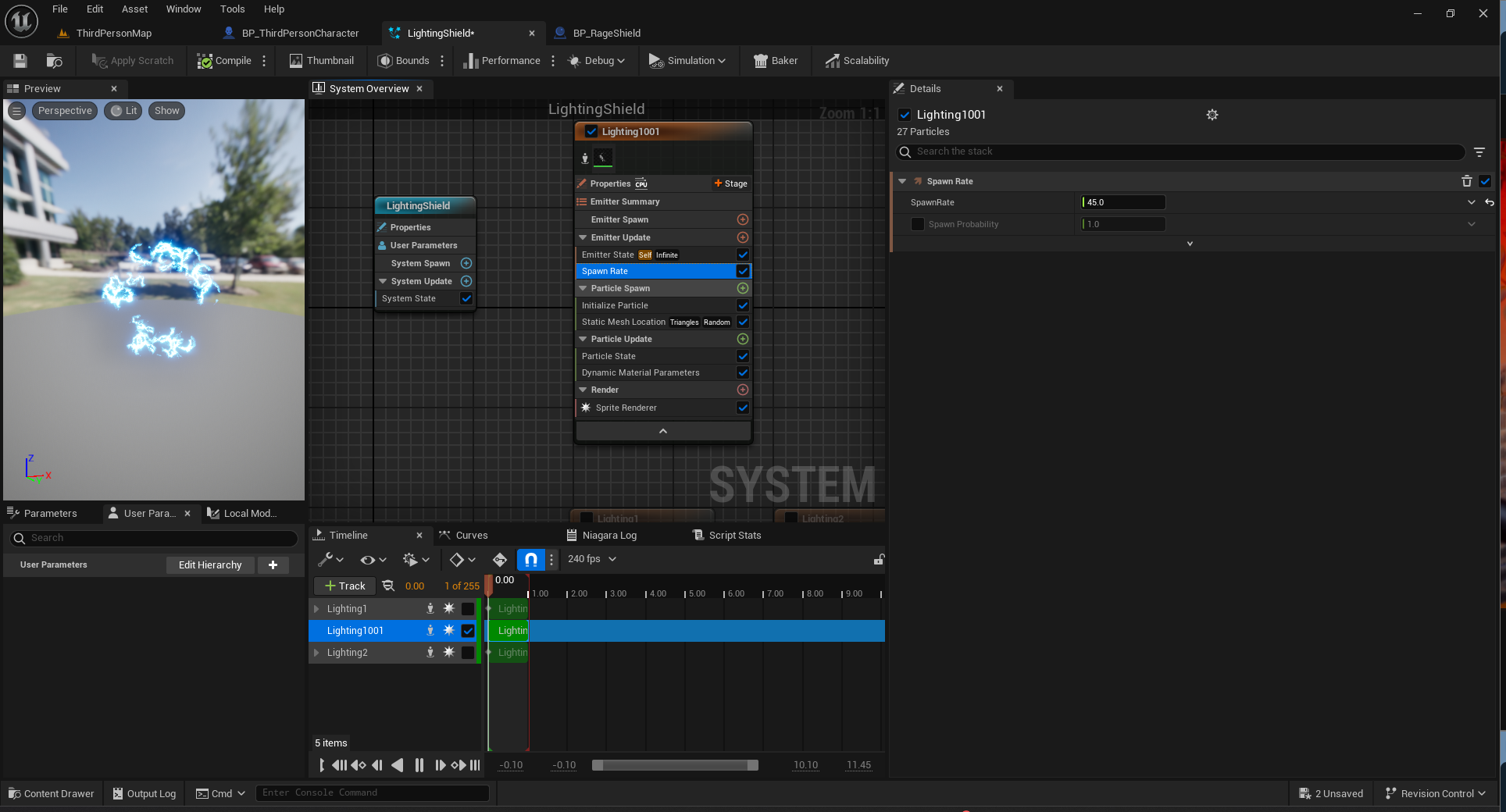
I built two main electricity systems:
a short electric burst for shield activation and shutdown
a looping electricity effect that stays active around the shield while Rage is being used
There were a lot of small problems along the way: emitter lifecycle errors, particle systems refusing to reactivate, particles looking more like glowing blobs than electricity, material type mismatches, and effects continuing to loop after the shield shut down.
Working through those issues forced me to get much more comfortable with:
Emitter State
System State
Spawn Rate
particle lifetime
Niagara materials
activation/deactivation from Blueprint
looping behavior
particle distribution
That was probably one of the biggest learning areas of the whole project.
niagara
After the core systems were finished, I shifted into presentation mode.
I converted the environment to a consistent grid-material style so the level would support the technical-art presentation instead of becoming a completely separate environment-art project.
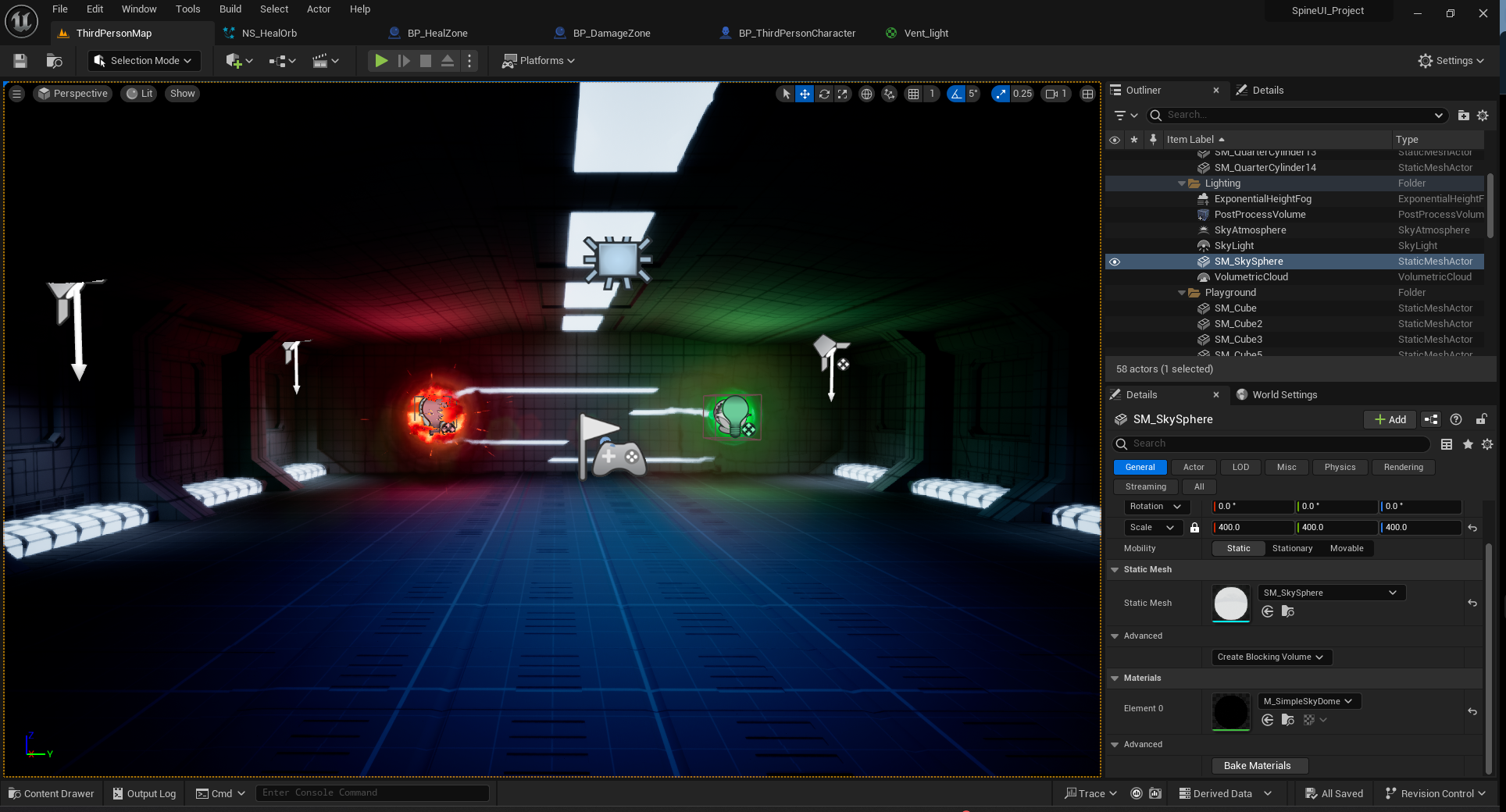
I also created two gameplay orbs:
a red orb that damages the player
a green orb that heals the player
These became a simple way to demonstrate the spine UI, fullscreen effects, and gameplay reactions without needing to build a full combat system.
The environment was intentionally kept simple so the VFX and gameplay systems stayed as the focus.
environment
The final stage was lighting and composition.
I wanted the environment to remain dark enough for the emissive VFX to stand out, but not so dark that the character and level disappeared.
I used:
cool lighting around the player
localized red lighting around the damage orb
localized green lighting around the healing orb
emissive environment fixtures
subtle volumetric fog
post-process adjustments
One of the hardest parts of this stage was knowing when to stop.
Since this is a VFX and technical-art piece, I had to keep reminding myself that the environment is there to support the effects, not compete with them.